dockette/nginx
🐳 Nginx with SSL, HSTS, HTTP/2
10K+
dockette/nginx repository overview
Dockette / Nginx




Nginx with SSL / HSTS and HTTP2 module.
Nginx with SSL, HSTS and HTTP/2 on debian:trixie-slim, installed from the nginx.org mainline packages. It starts with
no default virtual host. Mount a server configuration into /etc/nginx/sites.d to listen on ports 80 and 443.
Features
- Nginx mainline with the
xslt,geoip,image-filterandnjsmodules - Ports
80and443 - SSL, gzip, charset and logging defaults in
/etc/nginx/conf.d - Pregenerated Diffie-Hellman files (
dhparam2048.pemanddhparam4096.pem) - Empty
/etc/nginx/sites.d, example sites in .examples/sites.d (including a 444default_server, not installed automatically)
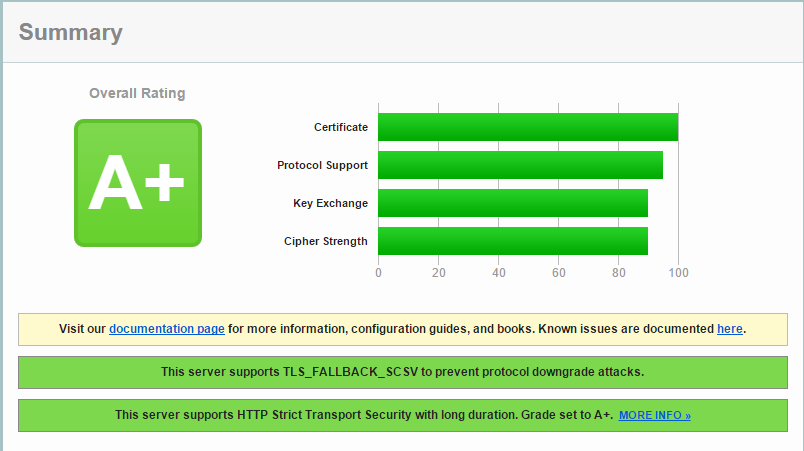
You should have A+ on SSL Server Test.
Usage
docker run -p 80:80 -p 443:443 -v /path/to/site:/etc/nginx/sites.d/site --name nginx dockette/nginx:latest
Configuration
Main files:
Folders:
/etc/nginx/conf.d: the http config, loaded manually in the mainhttpsection of nginx.conf. You can extend only the parts you need. Do not put your own configuration here./etc/nginx/sites.d: sites, one file per site./etc/nginx/site.conf.d: small fragments shared across sites./etc/nginx/user.conf.d: your own globalhttpconfiguration, loaded automatically.
By default Nginx uses the 2048 bit dhparam file. The 4096 bit file is also there. Both are for development: for staging and production, generate your own.
Versions
| Version | Release |
|---|---|
dockette/nginx:1.31.8-YYYY.MM.DD | release YYYY.MM.DD |
dockette/nginx:1.31.8 | latest release |
dockette/nginx:YYYY.MM.DD | release YYYY.MM.DD |
dockette/nginx:latest | latest build of master |
All versions run nginx 1.31.8, pinned by NGINX_VERSION in VERSION. Releases are listed on GitHub.
Development
make build     # build linux/amd64 and linux/arm64
make test      # run nginx -v and nginx -t
make run       # run the image on ports 80 and 443
make version   # print VERSION
make release   # set today's date in VERSION
Maintenance
See how to contribute to this package. Consider to support f3l1x. Thank you for using this package.
Tag summary
Content type
Image
Digest
sha256:177101ee8…
Size
60.6 MB
Last updated
1 day ago
docker pull dockette/nginxThis week's pulls
Pulls:
44
Oct 26 to Nov 1